
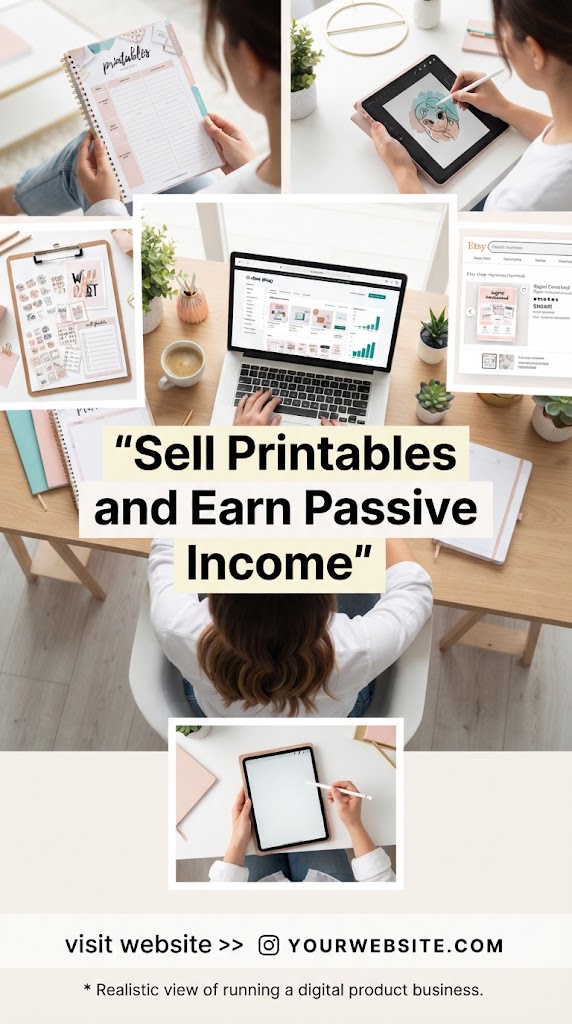
The Ultimate Guide to Selling Printables: Turn Digital Designs into a 24/7 Passive Income Machine
The dream of earning money while you sleep is no longer a luxury reserved for real estate moguls or stock market wizards. In the digital age, a new frontier of entrepreneurship has emerged, one that requires zero inventory, minimal startup costs, and the potential for infinite scalability: The World of Digital Printables.
If you’ve ever found yourself browsing Pinterest for a weekly meal planner, downloading a coloring page for your kids, or purchasing a budget tracker on Etsy, you have participated in the printables economy. This market is currently exploding, as consumers move away from mass-produced physical goods toward customizable, instant-gratification digital solutions.
In this comprehensive guide, we will break down the exact blueprint for building a six-figure printables business from scratch. Whether you are a seasoned graphic designer or someone who has never opened a design app in their life, this is your roadmap to passive income.
1. What Are Printables and Why Are They a Goldmine?
A “printable” is a digital file that a customer purchases, downloads, and prints themselves. These range from simple checklists to complex 100-page workbooks.
The Profit Logic
Why is this business model so lucrative?
- Zero Manufacturing Costs: You create the file once. There are no materials to buy, no glue, no paper, and no ink on your end.
- No Shipping or Inventory: Since the product is digital, you don’t need a warehouse. You don’t have to deal with the post office, lost packages, or international shipping fees.
- Instant Fulfillment: The moment the customer clicks “buy,” the platform delivers the file automatically. You don’t have to lift a finger.
- High Profit Margins: After the initial platform fee (like Etsy’s transaction fee), 90-95% of the sale price is pure profit.
- Scalability: Selling to one person takes the same amount of effort as selling to 10,000 people.
2. Finding Your High-Demand Niche
One of the biggest mistakes new sellers make is being too broad. Selling “planners” is difficult because you are competing with millions of other listings. To succeed, you must niche down.
Top-Performing Categories in 2024
- Organization & Productivity: Habit trackers, ADHD daily planners, meal planners, cleaning schedules, and project management sheets for freelancers.
- Finance & Budgeting: Debt snowball trackers, “No-Spend Challenge” worksheets, sinking funds trackers, and tax prep checklists for small businesses.
- Education & Homeschooling: Alphabet tracing sheets, flashcards, classroom decor, lesson plan templates, and STEM activity packs.
- Events & Celebrations: Wedding planners, bachelorette party games, baby shower invitations, funeral programs, and seasonal holiday scavenger hunts.
- Fitness & Wellness: Weight loss trackers, yoga sequence builders, mental health journals, and vitamin/medication logs.
- Business Tools: Small business order forms, price lists, brand board templates, and social media content calendars.
How to Validate Your Idea
Before you design a single pixel, use tools like eRank, SaleSamurai, or EverBee to see what people are actually searching for. Look for “High Demand, Low Competition” keywords. For example, instead of “Wedding Planner,” you might find a gap for “Sustainable Minimalist Backyard Wedding Checklist.”
3. The Tech Stack: Designing Like a Pro (Without the Degree)
You don’t need a degree in Fine Arts to create best-selling printables. Technology has democratized design.
Canva: The Ultimate Tool for Beginners
Canva is the gold standard for printables sellers. With its drag-and-drop interface, thousands of fonts, and massive library of elements, you can create professional designs in minutes.
- Pro Tip: Always use the “Canva Pro” version if you are serious. It allows you to resize designs instantly and gives you access to commercial-use graphics that make your products stand out.
Adobe Illustrator & InDesign
For those who want to create high-end, complex layouts (like 300-page journals), Adobe is the powerhouse. It offers vector-based design, meaning your prints will never be blurry, regardless of the size.
Creative Fabrica & Design Bundles
Don’t draw everything from scratch. Use sites like Creative Fabrica to buy commercial-use fonts and clip art. This allows you to assemble beautiful designs without being an illustrator.
- CRITICAL: Always check the “Commercial License” terms. Ensure you are allowed to use the assets in a digital product for sale.
4. The Design Process: From Concept to “Print-Ready”
A printable is only “passive” if it works perfectly for the customer. If your file is hard to print, you’ll spend all your time on customer service.
Standard Dimensions
Most customers use standard home printers. Design in:
- US Letter: 8.5 x 11 inches.
- A4: 210 x 297 mm (for international customers).
- A5: Popular for “planner junkies” who use binders like Filofax.
Color Profiles: RGB vs. CMYK
- RGB: Best for digital viewing (screens).
- CMYK: Best for professional printing.
- The Compromise: Most home printers handle RGB files well, but providing a high-quality PDF in 300 DPI (dots per inch) is the industry standard for clarity.
User Experience (UX)
Leave a “gutter” or margin on the left and right sides of your pages. This ensures that when the customer punches holes to put the printable in a binder, they don’t punch through your beautiful design.
5. Pricing Strategies for Maximum Revenue
Pricing printables is a psychological game. You want to be expensive enough to be perceived as high-quality, but cheap enough to be an “impulse buy.”
- The Single Sheet ($1.00 – $3.00): Good for “tripwire” offers or simple checklists.
- The Multi-Page Bundle ($7.00 – $15.00): This is the “sweet spot.” People love the feeling of getting a “kit.” Instead of selling one budget sheet, sell a “20-Page Financial Freedom Bundle.”
- The Mega-Bundle ($27.00 – $67.00): Combine all your products in a specific niche. This offers massive value and increases your average order value (AOV).
6. Where to Sell Your Printables
Etsy: The Traffic King
Etsy is the easiest place to start because it already has millions of buyers looking for printables.
- Pros: Built-in traffic, easy setup.
- Cons: Listing fees ($0.20), transaction fees, and high competition.
Shopify: The Brand Builder
If you want to own your customer data and avoid competing side-by-side with other sellers, Shopify is the answer.
- Pros: You own the “land,” no competitor ads on your pages, great for email marketing.
- Cons: Monthly subscription fee, you have to drive your own traffic.
Amazon KDP (Kindle Direct Publishing)
You can turn your printables into “Low Content Books.” Upload your designs as a notebook, journal, or coloring book, and Amazon will print and ship them for you as a physical product.
7. Master the Art of SEO (Search Engine Optimization)
If people can’t find your product, they can’t buy it. SEO is the engine of your passive income machine.
Keyword Placement
- Title: Use the most important keywords first. (e.g., “Daily Fitness Tracker | Workout Log Printable | Weight Loss Journal PDF”).
- Tags: Use all 13 tags on Etsy. Focus on “long-tail keywords” (e.g., “postpartum weight loss tracker” rather than just “fitness”).
- Description: Write for humans but optimize for bots. Explain how the product helps the customer in the first two sentences.
The Power of Thumbnails
In the world of printables, your thumbnail is your storefront.
- Use Mockups: Don’t just show a flat digital file. Show a photo of the printable sitting on a wooden desk with a pen next to it.
- Text Overlays: Use big, bold text to highlight “Instant Download,” “Printable,” or “Editable in Canva.”
8. Marketing Your Printables: The Pinterest Funnel
Pinterest is not social media; it is a visual search engine. It is the #1 traffic driver for printable sellers.
- Create “Fresh Pins”: Every day, pin images of your products.
- Focus on Aesthetics: Use bright, airy images that appeal to the primarily female demographic on Pinterest.
- Use Keywords in Pin Titles: Just like Etsy, Pinterest relies on SEO.
- Idea Pins: Use video pins to show someone actually using the printable (filling out a planner, coloring a page). This builds trust.
9. Creating a “Value Ladder” to Skyrocket Earnings
Once you have a customer who buys a $5 printable, they are 10x more likely to buy from you again. Don’t let that relationship end at the first sale.
- The Thank You File: When a customer downloads their purchase, include a “Thank You” PDF that contains a discount code for their next purchase.
- Email Marketing: Use a service like ConvertKit or Flodesk. Offer a free printable (a “Lead Magnet”) in exchange for their email address. Once they are on your list, you can launch new products to them every week.
- Upselling: If they buy a “Wedding Budget Tracker,” offer them a “Wedding Seating Chart” at a discounted price during checkout.
10. Automating Customer Support and Delivery
To make this truly “passive,” you need to minimize your workload.
- The FAQ Section: Anticipate every question. “How do I print this?” “Why are the colors different?” “How do I unzip the file?” Put these answers in your product description and in an automated message that sends after purchase.
- Technical Troubleshooting Guide: Create a simple 1-page PDF guide on “How to Print Digital Files” and include it with every order. This will reduce your “Convo” notifications by 90%.
11. Scaling to 6 Figures: Diversification
Once you have a winning product, don’t stop.
- Go Global: Translate your best-selling planners into Spanish, French, or German.
- Licensing: Sell “Commercial Use” licenses. Allow other small business owners to use your designs in their own products for a higher fee.
- Membership Site: If you have a large library of printables, start a subscription. For $19/month, users get access to everything you’ve ever made. This creates predictable monthly income.
12. Common Pitfalls to Avoid
- Copyright Infringement: Never use Disney characters, celebrity names, or trademarked quotes (like “Just Do It”). You will get your shop banned permanently.
- Analysis Paralysis: Don’t spend a month making one planner. It’s better to have 20 “good” products than one “perfect” product. This is a volume game.
- Ignoring Mobile Users: Many people browse Etsy on their phones. Ensure your thumbnails are readable on a small screen.
The Path Forward
The barrier to entry in the printables market is low, but the ceiling for success is incredibly high. By identifying a specific problem (e.g., “I need a way to track my sourdough starter feedings”) and providing a beautiful, printable solution, you create value out of thin air.
Start small. Create one simple checklist today. Upload it. Learn from the data. The first dollar you earn from a digital product is the most important—it’s the proof that your creativity has market value. Once you’ve earned one dollar, the path to $10,000 is simply a matter of consistency, SEO, and scaling.
The best time to start was five years ago. The second best time is today. Get designing!